Free AI Estimate Generator
Describe the job and our AI creates a clean, itemized price estimate in seconds: line items, totals, and terms, with a valid-until date. Change any number in the preview, then export to PDF or Word. No account needed.
An estimate for any trade or service
Tell the AI what the work involves and it itemizes it into a professional estimate your client can approve, no spreadsheet wrangling.
From a job description to a finished estimate in three steps
Describe the job
The work, the line items, and your rates or a total.
AI builds the estimate
An itemized table with subtotal, tax, total, and terms.
Edit & download
Adjust quantities and rates, then download a PDF or Word file.
A clear estimate clients can say yes to
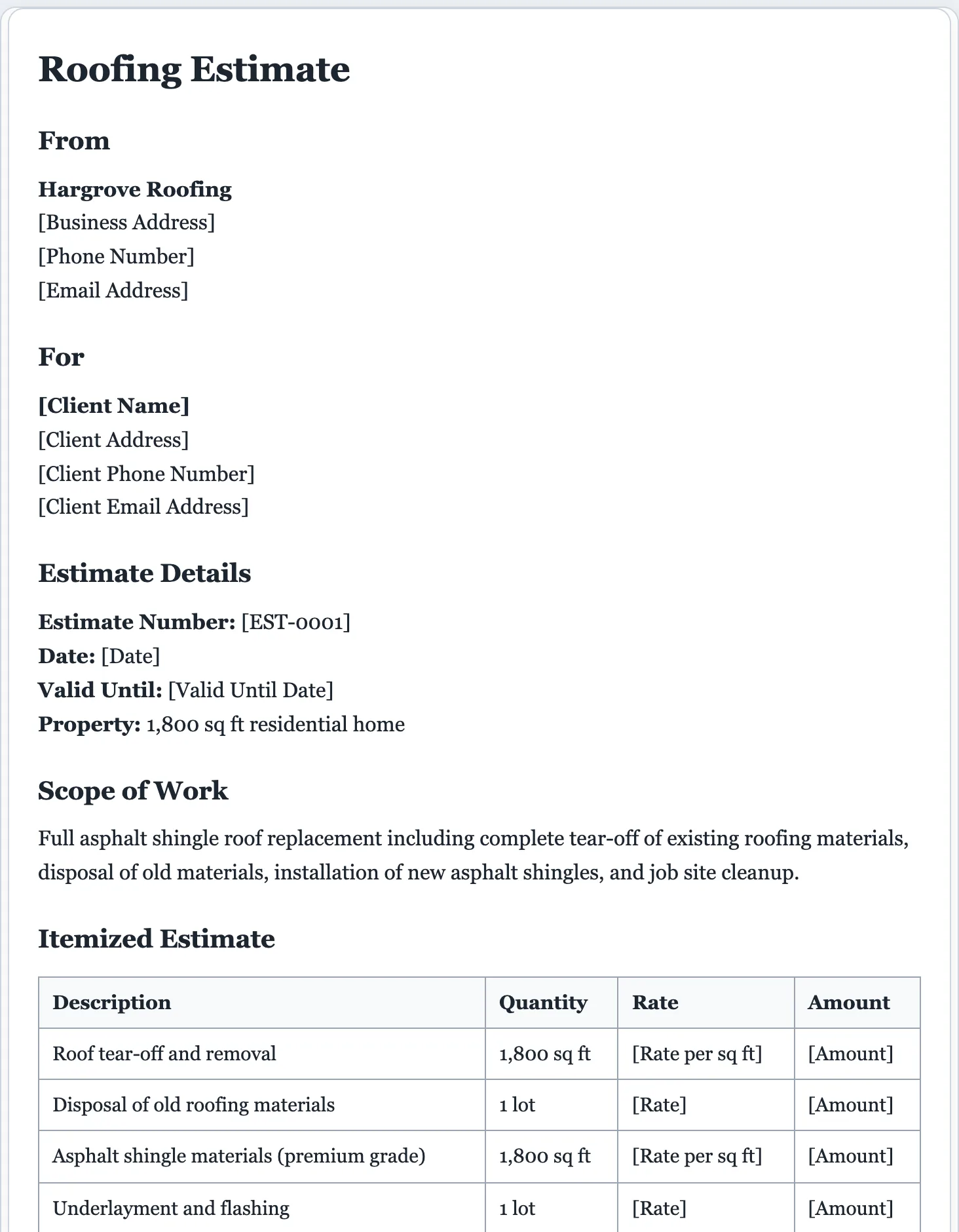
A tidy, itemized estimate wins trust and closes faster than a number scribbled on a text. The AI lays the costs out clearly so the client knows exactly what they’re approving.
- Your business and client placeholder blocks
- An estimate number, date, and valid-until date
- An itemized table: description, quantity, rate, amount
- Subtotal, tax, and total rows
- Notes on scope and what’s included
- An acceptance or signature line
An estimate is a price before the work. Once it’s approved and the job is done, send a matching invoice, or pitch the full engagement with a proposal.
Estimates without the spreadsheet.
Quoting a job shouldn’t mean fighting with columns and formulas. Describe the work and get a clean, itemized estimate you can adjust and send in minutes.
- Itemized costs with subtotal, tax, and total.
- Fully editable. Change any line, rate, or quantity in the preview.
- PDF or Word in one click, and nothing is retained on our servers.
AI estimate generator questions
Is the AI estimate generator free?
Yes. Create and download estimates for free, with no signup. A small daily limit keeps the tool fast and fair for everyone.
What’s the difference between an estimate and an invoice?
An estimate is a price you give before the work, often with a valid-until date. An invoice is the bill you send after, with payment terms. This tool makes estimates and quotes. For the bill, use the invoice generator.
How does the AI estimate generator work?
Describe the job, the line items, and your rates or a total. The AI builds an itemized estimate with subtotal, tax, total, and terms, which you then edit and download.
Can I set my own prices?
Yes. Add your rates and quantities in the description, or set them directly in the live preview. Use placeholders anywhere you want to fill in later.
Can I edit the estimate?
Yes. Every line is editable. Click anywhere to change an item, or use the refine options to add tax, totals, or terms.
What's the difference between an estimate and a quote?
An estimate is an informed ballpark that can shift as scope firms up; a quote is a fixed price you commit to. This tool drafts a clear estimate with itemized ranges and assumptions, all editable before you download.
Is it the same as a quote?
Very close. A quote and an estimate are both prices given before the work. This tool handles both; some trades call it one or the other.
Create your estimate free
Describe the job and get an itemized, professional estimate in seconds.
A dedicated generator for every document
Each one is tuned for its document type, with the right structure and guided fields. Open the generator you need, or start from the tool above.