Free AI Invoice Generator
Describe the work and our AI drafts a professional invoice in seconds. Line items, totals, and payment terms. Adjust the line items in the preview, then save as a PDF or Word file. Free, no account.
Professional invoices for any job
Tell the AI who you’re billing and what for. It returns a clean, itemized invoice with a subtotal, tax, total, and payment terms, ready to edit and send.
From a quick description to a finished invoice in three steps
Describe the bill
Who you’re billing, what you did, the amounts or rate, tax, and any payment terms or due date.
AI drafts the invoice
You get a clean, itemized invoice. Header, line items, subtotal, tax, total, and payment terms.
Edit & download
Click anywhere to fix amounts or wording, then download a polished PDF or Word file ready to send.
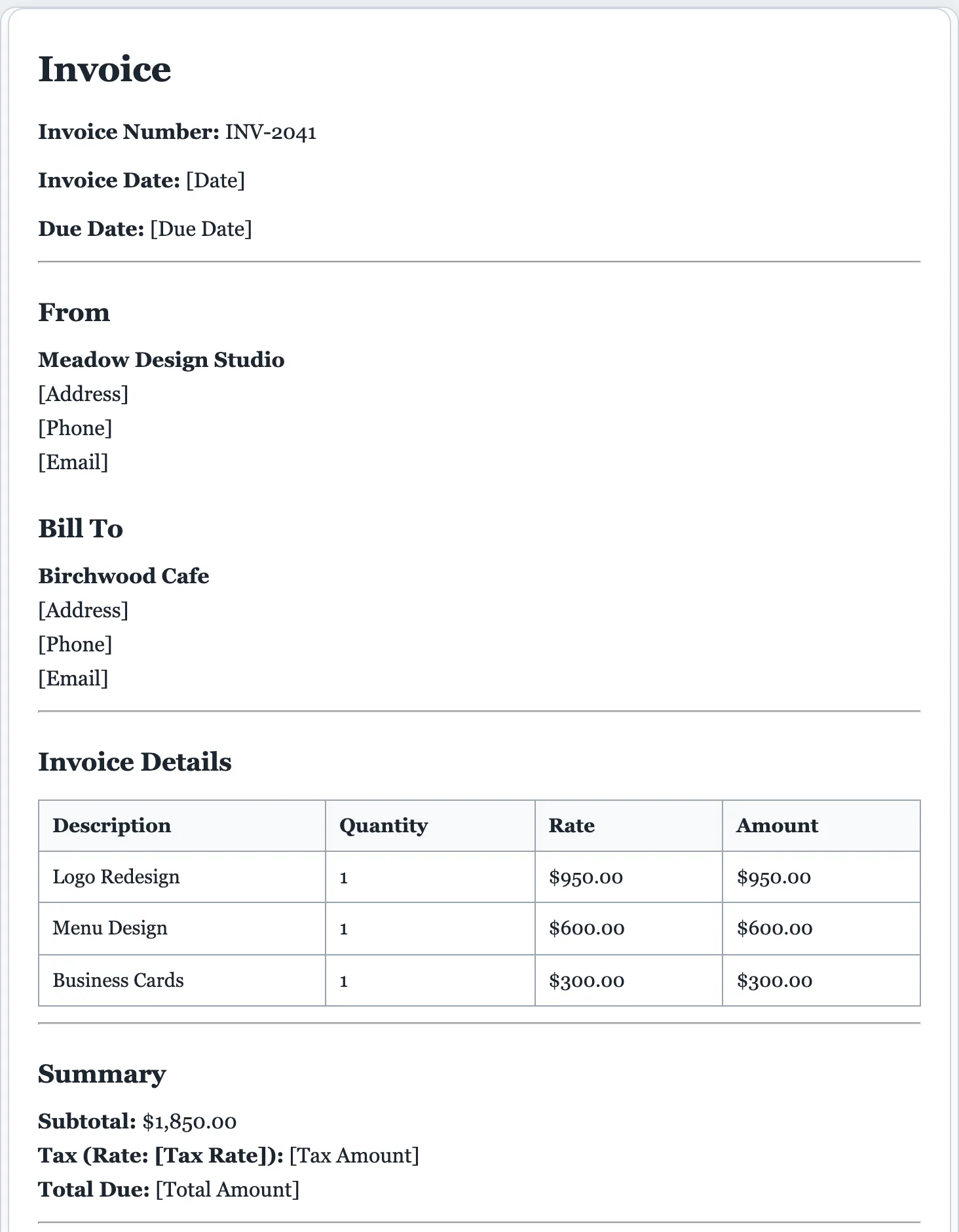
Clean, professional invoices in seconds.
No signup, no watermark, no spreadsheet wrangling. Describe the job and get a polished invoice you can edit and send, backed by the same FormsPal platform trusted for 16,000+ business and legal forms.
- Itemized layout with subtotal, tax, total, and payment terms.
- Fully editable. Fix any amount, rate, or line before you send.
- Export to PDF or Word instantly, with no copy kept on our side.
What a professional invoice includes
Every invoice the AI builds has the details that get you paid on time. Edit any of them in the live preview before you send.
- Your business name, contact details, and a logo placeholder.
- The client's name and billing details.
- A unique invoice number for your records.
- The invoice date and a clear due date.
- Itemized line items with descriptions, quantities, and rates.
- A subtotal, tax, and the total amount due.
- Payment terms, such as net 15, net 30, or due on receipt.
- Accepted payment methods and instructions.
- Any deposit already paid or balance remaining.
- A notes line or thank-you for the client.
How to invoice a client and get paid faster
A clear invoice is the difference between getting paid in a week and chasing payment for a month. Here's how to put one together.
Add your details and a unique invoice number
Put your business name and contact info at the top, the client's details below, and assign a unique, sequential invoice number. You'll need it for your records and theirs.
Itemize the work clearly
List each service or product on its own line with a short description, quantity or hours, and rate. Clear line items reduce questions and speed up approval.
Show the math, including tax
Add a subtotal, any sales tax, and the total due so the client can see exactly how the number is reached. Ambiguity here is the most common cause of a delayed payment.
Set payment terms and a due date
State when payment is due, net 30, net 15, or due on receipt, and how to pay. A specific due date gets invoices paid faster than “upon completion.”
Send it promptly and follow up
Invoice as soon as the work is done, while it's fresh, then send a polite reminder a few days before the due date. Download a PDF to email or a Word file to tweak.
AI invoice generator questions
Is the AI invoice generator free?
Yes. You can create and download invoices for free, with no signup and no watermark. A light daily cap keeps billing quick and fair for all users.
How does the AI invoice generator work?
Describe who you’re billing, what you did, and the amounts. The AI formats a professional invoice. Header, itemized line items, subtotal, tax, total, and payment terms, which you then edit and download.
Can I edit the invoice before downloading?
Yes. The invoice is fully editable. Click anywhere to change the business or client details, line items, amounts, tax, or terms, then download it.
What should an invoice include?
Your business and the client’s details, an invoice number and date, itemized work or products with amounts, any tax, the total due, and payment terms or a due date. The AI includes these by default; add anything specific in your description.
Can I add my logo, tax, and payment terms?
Yes. Mention your business details, tax rate, and due date in the description, then edit anything in the preview. Add or remove line items, set the currency, and adjust payment terms before you export to PDF or Word.
Can I use it for freelance or small-business invoicing?
Absolutely. Freelance, consulting, contractor, service, and small-business invoices are all supported. Just describe the work and the amounts.
What's the difference between an invoice and a receipt?
An invoice requests payment, it's sent before the client pays and lists what's owed. A receipt confirms payment after it's made. Use this generator for the invoice; once you're paid, you can mark it as paid.
What does “net 30” mean, and what terms should I use?
Net 30 means payment is due 30 days after the invoice date; net 15 and “due on receipt” are also common. Shorter terms get you paid faster. Pick what fits your cash flow and the AI writes it into the invoice.
How should I number my invoices?
Use a simple, sequential scheme like INV-001, INV-002, or one based on the date and client. Consistent, unique numbers make invoices easy to track and look professional. Add your preferred number in the preview.
Do I need to charge sales tax on an invoice?
It depends on what you sell and where, services and products are taxed differently by state and country. Add your tax rate in the description and the AI applies it; confirm the right rate with your local rules or an accountant.
Is an invoice a legally binding document?
An invoice itself is a request for payment, not a contract, but it's important evidence of what was agreed and owed. Pair it with a contract or an agreed quote for the strongest position if a payment dispute arises.
Create your invoice free
Describe the work and get a professional, editable invoice in seconds.
A dedicated generator for every document
Each one is tuned for its document type, with the right structure and guided fields. Open the generator you need, or start from the tool above.