Free AI Obituary Writer
Writing an obituary is hard at a painful time. Share a few details about your loved one and our AI gently drafts a warm, complete obituary: their life, the people they leave behind, and the service. Edit the live preview, then download as PDF or Word. No signup.
A gentle starting point, for whoever you've lost
Share what you remember and the writer shapes it into a fitting tribute. Start from a complete, respectful draft instead of a blank page during a hard week.
From a few memories to a finished obituary in three steps
Share a few details
Their name and age, their family, what they did, and what they loved.
The AI drafts the obituary
A warm life story, the people they leave behind, and service details.
Edit & share
Add a memory or adjust a line, then download a PDF or Word file.
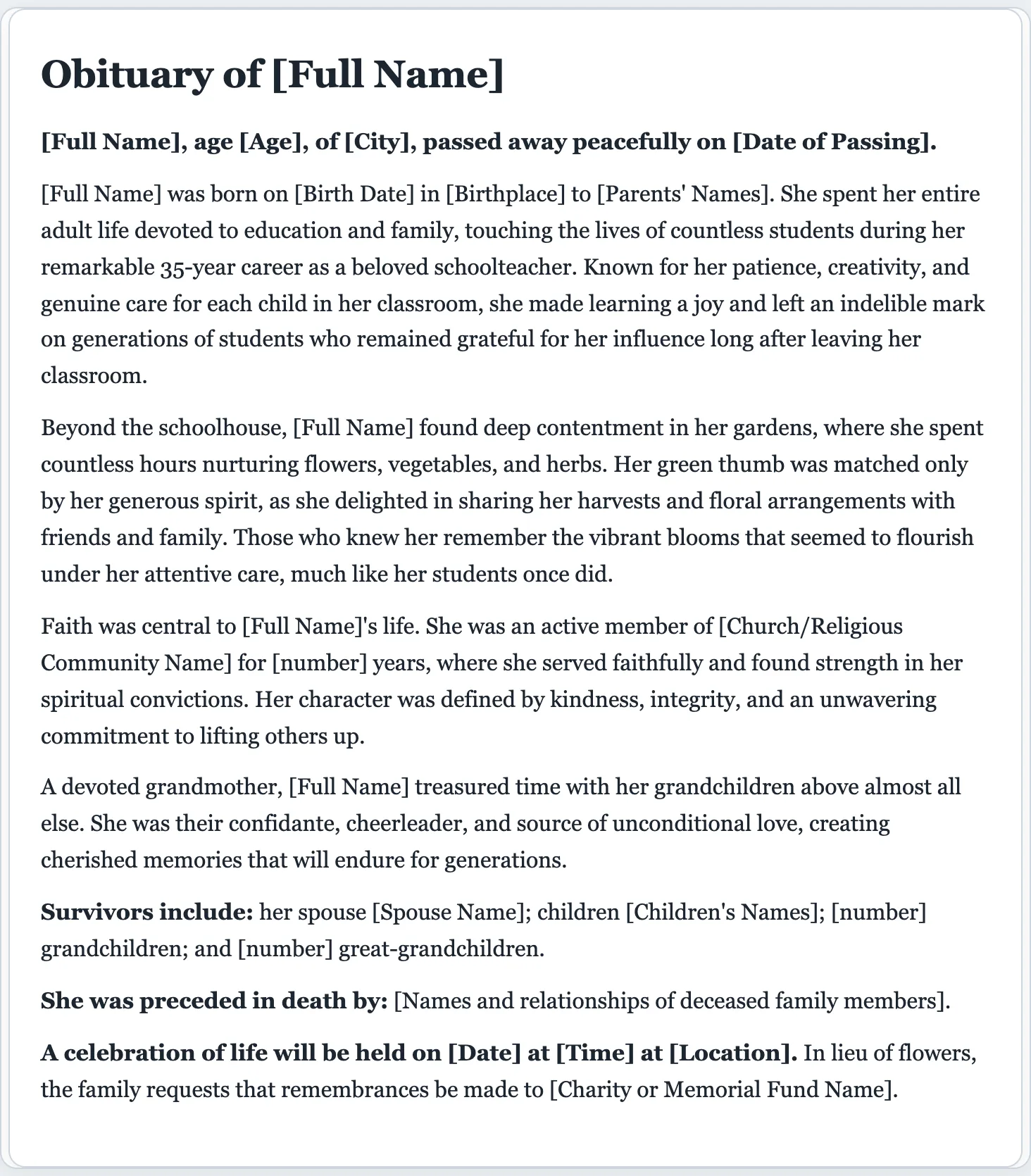
A tribute that does them justice
A good obituary tells the story of a life, not just the facts of a death. The writer covers the parts families want, in a tone that's warm and dignified.
- An opening announcement with name, age, and city
- A life story: family, career, and passions
- A passage on who they were and what they loved
- A list of those they are survived by
- Service and memorial details to fill in
- A warm, respectful tone throughout
Speaking at the service too? The speech writer can help with a eulogy or a few words to say.
So the words don't have to come at the hardest moment.
Few people are ready to write an obituary, and it usually falls due within a day or two. Share what you remember and start from a kind, complete draft you can make your own.
- Warm and dignified, with the structure families expect.
- Fully editable. Add a memory or adjust any detail in the preview.
- Export to PDF or Word to share or send to the funeral home. Not stored by us.
AI obituary writer questions
Is the AI obituary writer free?
Yes. You can write and download an obituary for free, with no signup. There's a small daily cap so the tool stays available for everyone.
How does the AI obituary writer work?
Share a few details about your loved one: their name, age, family, what they did, and what they cared about. The writer turns it into a warm, complete obituary that you can gently edit and download.
What should an obituary include?
An announcement of the passing with name, age, and city; a short life story covering family, career, and passions; a list of survivors; and service or memorial details. The writer includes all of these and leaves placeholders for dates and locations.
Can I add survivors and service details?
Yes. The obituary lists those who survive and those who preceded them, and includes a service section with placeholders for the date, time, and location that you can fill in.
How long should an obituary be?
Most are 200 to 350 words, about the length newspapers and funeral homes expect. The writer keeps it concise and dignified, and you can make it shorter or longer.
Can I edit the obituary before publishing?
Yes. Every line is editable. Add a memory, adjust a detail, or change the tone, then download a PDF or Word file to share with family or send to the funeral home.
Why use a dedicated AI obituary writer instead of a chatbot?
It's purpose-built for this difficult task: you get a properly structured, respectful obituary with survivors and service details, a gentle editable preview, and one-click PDF or Word download, with no prompting back and forth.
Write a fitting obituary, free
Share a few memories and start from a warm, complete draft.
A dedicated generator for every document
Each one is tuned for its document type, with the right structure and guided fields. Open the generator you need, or start from the tool above.