Free AI Quotation Generator
Describe the job and our AI creates a professional, itemized price quotation in seconds: line items, totals, and terms, with a valid-until date. Edit the figures in the preview, then export to PDF or Word. Free to send, no signup.
A price quotation for any product or service
Tell the AI what you’re quoting and it itemizes the pricing into a clean, professional document your customer can approve on the spot.
From a request to a finished quote in three steps
Describe what you’re quoting
The products or services, quantities, and your prices.
AI builds the quote
An itemized table with subtotal, tax, total, and terms.
Edit & download
Adjust any line or rate, then download a PDF or Word file.
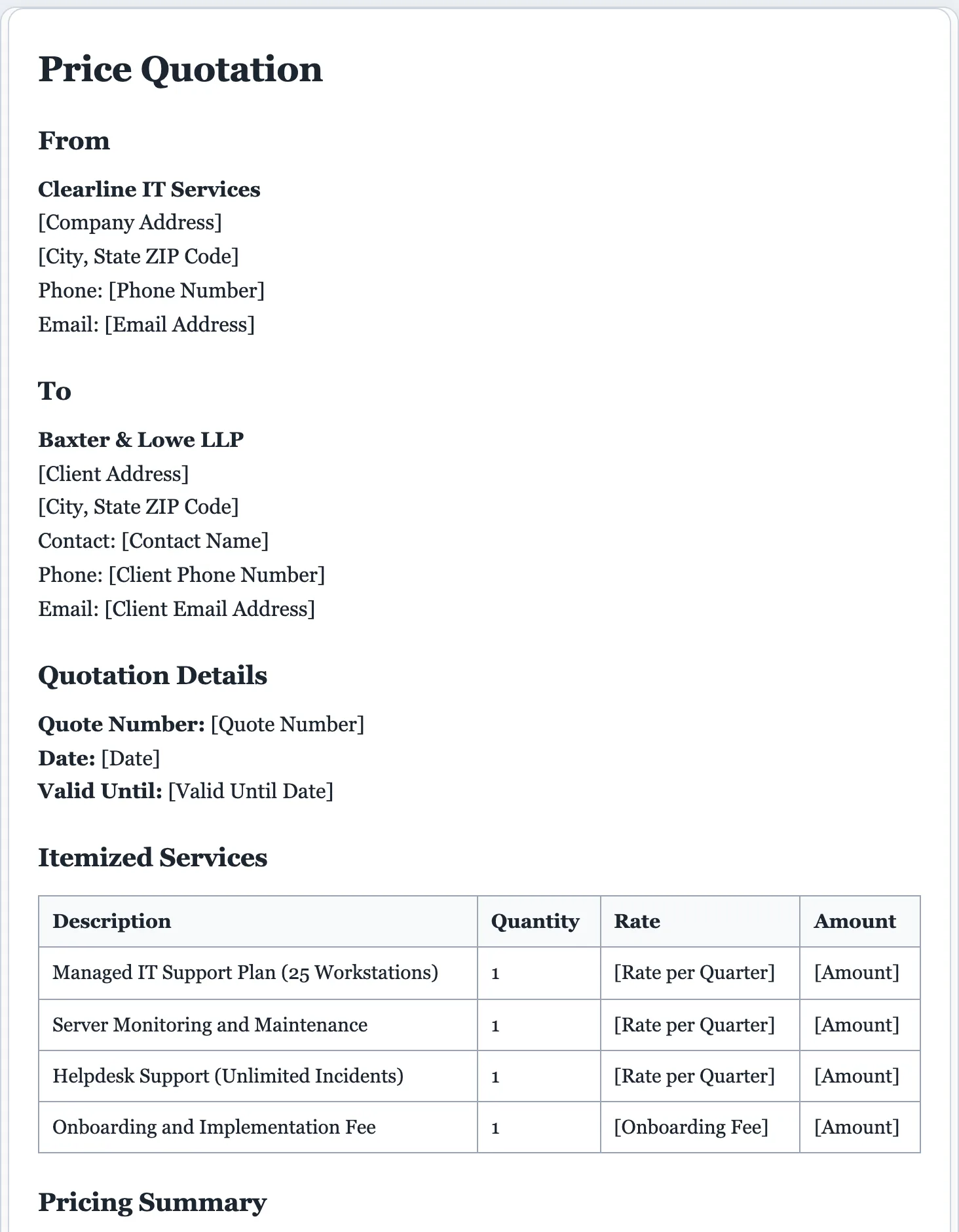
A quote that looks professional and closes
A clean, itemized quote signals you’re organized and worth hiring. The AI builds one that lays out the pricing clearly, so the customer knows exactly what they’re getting.
- Your business and customer placeholder blocks
- A quote number, date, and valid-until date
- An itemized table: description, quantity, rate, amount
- Subtotal, tax, and total rows
- Terms, scope notes, and what’s included
- An acceptance or signature line
A quote and an estimate are nearly the same; use whichever your trade prefers. Once the work is done, bill it with an invoice.
Quotes that win the job.
The faster you send a clean quote, the more often you win the work. Describe what you’re pricing and get a professional, itemized quote you can send before the customer cools off.
- Itemized pricing with subtotal, tax, and total.
- Fully editable. Change any line, rate, or quantity in the preview.
- Download as PDF or Word in a click. Your figures stay in your browser.
AI quote generator questions
Is the AI quote generator free?
Yes. Create and download quotes for free, with no signup. A small daily limit keeps the tool fast and fair for everyone.
How does the AI quote generator work?
Describe what you’re quoting, the quantities, and your prices. The AI builds an itemized quote with subtotal, tax, total, and terms, which you then edit and download.
What’s the difference between a quote and an invoice?
A quote is the price you offer before the work or sale. An invoice is the bill you send after. This tool makes quotes and estimates. For the bill, use the invoice generator.
Can I set my own prices and add tax?
Yes. Add your rates in the description or set them in the live preview, and the totals and tax lines update around them. Use placeholders to fill in later.
Can I edit the quote?
Yes. Every line is editable. Click anywhere to change an item, or use the refine options to add tax, a valid-until date, or terms.
Can I turn the quote into an invoice later?
Yes. Generate the quote now, and once the work is approved you can reuse the same details in the invoice generator. Edit amounts, scope, and the valid-until date in the preview before exporting to PDF or Word.
Is a quote legally binding?
A quote is usually an offer at a stated price, often valid for a set time, not a contract on its own. For a binding agreement, pair it with a contract, and review anything important before you send it.
Create your quote free
Describe the job and get a professional, itemized price quote in seconds.
A dedicated generator for every document
Each one is tuned for its document type, with the right structure and guided fields. Open the generator you need, or start from the tool above.