Free AI Newsletter Generator
Describe your update and our AI writes a clean, sectioned newsletter: a subject line, a friendly intro, clear sections, and a call to action. Edit the live preview, then download as PDF or Word, or paste it into your email tool. No signup.
A newsletter for any audience
Tell the AI what you want to share and who it's for. It writes a scannable newsletter with the sections your readers expect, ready to send by email or print.
From an update to a finished newsletter in three steps
Describe your update
What you want to share, who it's for, and any sections you have in mind.
AI writes the newsletter
A subject line, a warm intro, clear sections, and a call to action.
Edit & send
Polish a line, then download a PDF or Word file, or paste it into your email tool.
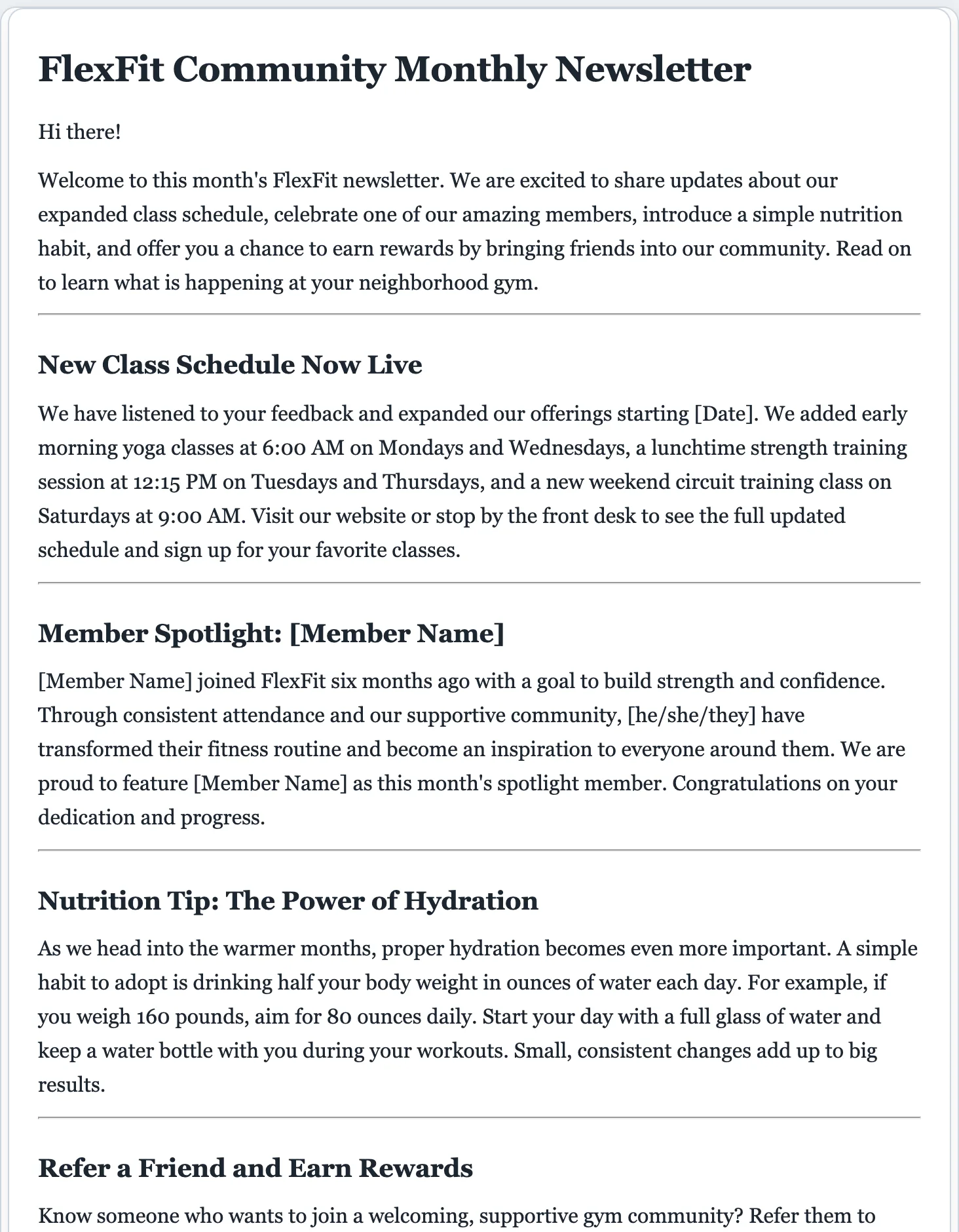
A newsletter people actually read
Readers skim. A newsletter with a clear subject line and short, labeled sections gets opened and read; a wall of text gets archived. The AI lays yours out so the news is easy to find.
- A subject line and a short, friendly intro
- Clear sections with their own headers
- Short, scannable paragraphs
- A spotlight or feature block when it fits
- A single, clear call to action
- A warm sign-off you can personalize
Have bigger news to share? Pair the newsletter with a press release or a case study for the full story.
Newsletters without the blank page.
The hardest part of a newsletter is starting one. Describe your update once and start from a properly structured draft, with a subject line and sections, instead of a blinking cursor.
- Scannable structure, subject line to sign-off, every time.
- Fully editable. Add a section or change the tone in the preview.
- Export to PDF or Word, or paste into any email tool. Not stored by us.
AI newsletter generator questions
Is the AI newsletter generator free?
Yes. You can write and download newsletters for free, with no signup. There's a small daily cap so the tool stays fast for everyone.
How does the AI newsletter generator work?
Describe what you want to share, who it's for, and any sections you have in mind. The AI writes a newsletter with a subject line, intro, a few clear sections, and a call to action, which you then edit and download.
Can I create an email newsletter?
Yes. The draft is plain, well-structured text you can paste straight into Mailchimp, Substack, your email client, or any platform, then download as PDF or Word for a print version.
Can I edit the newsletter before sending?
Yes. Every part is editable. Click anywhere to rewrite a line, or use the refine options to add a section, change the tone, or sharpen the call to action.
What kinds of newsletters can it write?
Company and product updates, community and nonprofit news, school or class updates, real-estate and local-business newsletters, event recaps, and more. Describe yours and the AI adapts the sections.
Why use a dedicated AI newsletter generator instead of a chatbot?
It's purpose-built: you get a properly sectioned newsletter with a subject line and call to action, a live editable preview, and one-click PDF or Word download, with no prompting back and forth.
How long should a newsletter be?
Short enough to skim, usually a few short sections. The generator keeps each section tight so readers reach your call to action.
Write your newsletter free
Describe your update and get a clean, ready-to-send newsletter in seconds.
A dedicated generator for every document
Each one is tuned for its document type, with the right structure and guided fields. Open the generator you need, or start from the tool above.